> ## Documentation Index
> Fetch the complete documentation index at: https://docs.etherscan.io/llms.txt
> Use this file to discover all available pages before exploring further.
# Etherscan Contract Review
> An installable agent skill that explains what a verified deployed contract does, with a source reference behind every claim.
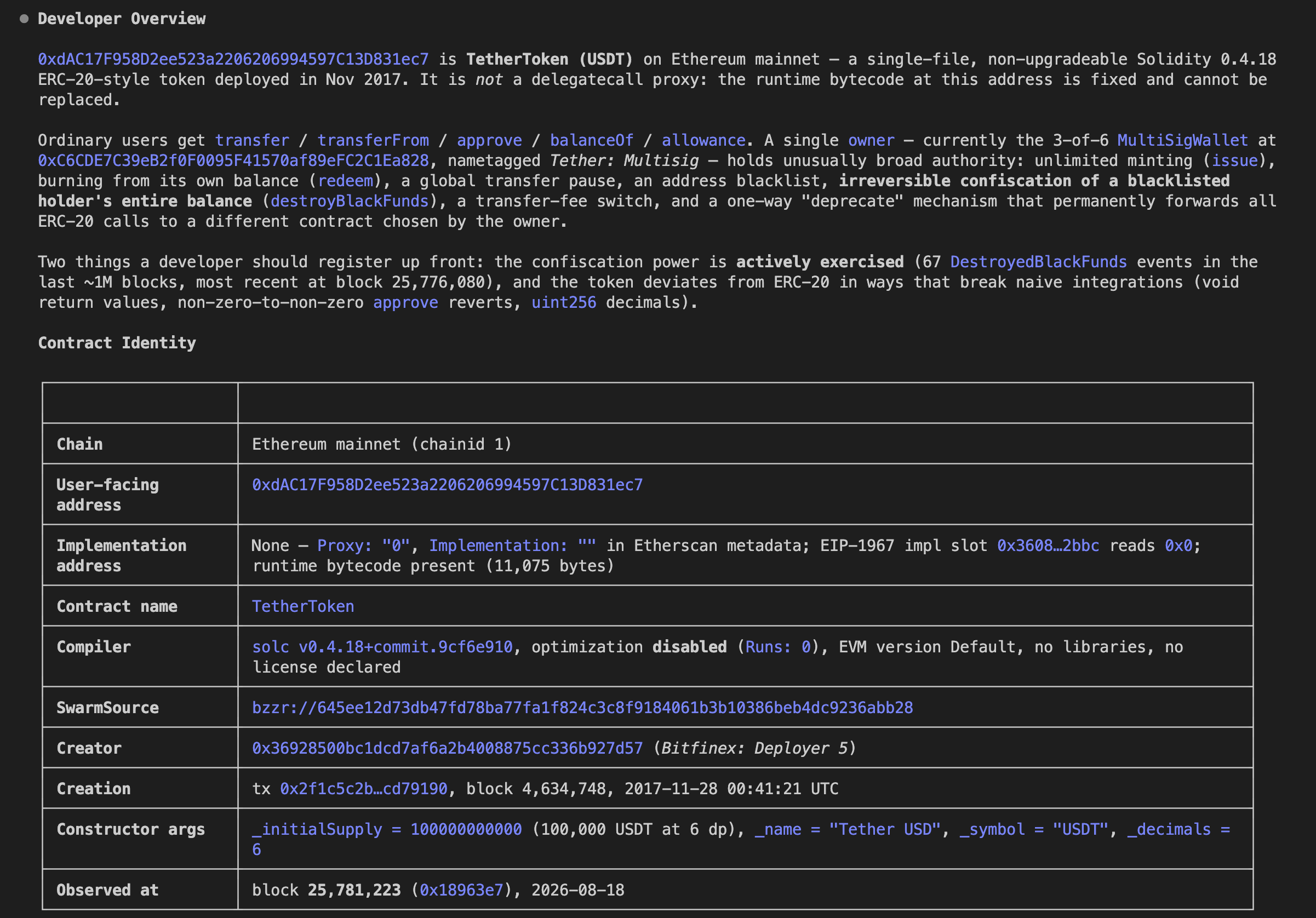
The [Etherscan Contract Review](https://github.com/etherscan/skills/tree/main/skills/etherscan-contract-review) skill produces a developer-first explanation of a verified deployed EVM contract. Give it a contract address and chain and it retrieves the verified source, ABI, and proxy metadata, then explains what the contract does, how its code fits together, what ordinary users can do, what privileged operators can change, and where assets move, with a source reference behind every material claim.
 This is a developer-oriented review for onboarding, integration triage, and preliminary review. It is not a security audit, safety certification, or formal verification.
## Get started
Add the skill with the [skills.sh](https://skills.sh) CLI. `-g` installs it globally (user-level, so it is available in every project) and `-a '*'` installs it for every agent you have set up (Claude Code, Codex, and others):
```bash theme={null}
npx skills add https://github.com/etherscan/skills --skill etherscan-contract-review -g -a '*' -y
```
Or clone the repo and move the folder into your agent's skills directory, `~/.claude/skills/` or `~/.codex/skills/`:
```bash theme={null}
git clone https://github.com/etherscan/skills.git etherscan-skills
cp -r etherscan-skills/skills/etherscan-contract-review ~/.claude/skills/
```
Claude Desktop installs a skill from a ZIP you upload. Zip must contain exactly one SKILL.md file.
1. Download the [Etherscan skills repo](https://github.com/etherscan/skills/archive/refs/heads/main.zip), unzip it, and compress just the `skills-main/skills/etherscan-contract-review` folder into `etherscan-contract-review.zip`.
```
skills-main/
└── skills/
├── etherscan/
├── etherscan-contract-review/ ← zip this folder
├── etherscan-flow/
└── etherscan-transaction-debugger/
```
2. In Claude Desktop, go to **Settings > Skills > Add > Upload a skill** and select the `etherscan-contract-review.zip` file.
This is a developer-oriented review for onboarding, integration triage, and preliminary review. It is not a security audit, safety certification, or formal verification.
## Get started
Add the skill with the [skills.sh](https://skills.sh) CLI. `-g` installs it globally (user-level, so it is available in every project) and `-a '*'` installs it for every agent you have set up (Claude Code, Codex, and others):
```bash theme={null}
npx skills add https://github.com/etherscan/skills --skill etherscan-contract-review -g -a '*' -y
```
Or clone the repo and move the folder into your agent's skills directory, `~/.claude/skills/` or `~/.codex/skills/`:
```bash theme={null}
git clone https://github.com/etherscan/skills.git etherscan-skills
cp -r etherscan-skills/skills/etherscan-contract-review ~/.claude/skills/
```
Claude Desktop installs a skill from a ZIP you upload. Zip must contain exactly one SKILL.md file.
1. Download the [Etherscan skills repo](https://github.com/etherscan/skills/archive/refs/heads/main.zip), unzip it, and compress just the `skills-main/skills/etherscan-contract-review` folder into `etherscan-contract-review.zip`.
```
skills-main/
└── skills/
├── etherscan/
├── etherscan-contract-review/ ← zip this folder
├── etherscan-flow/
└── etherscan-transaction-debugger/
```
2. In Claude Desktop, go to **Settings > Skills > Add > Upload a skill** and select the `etherscan-contract-review.zip` file.
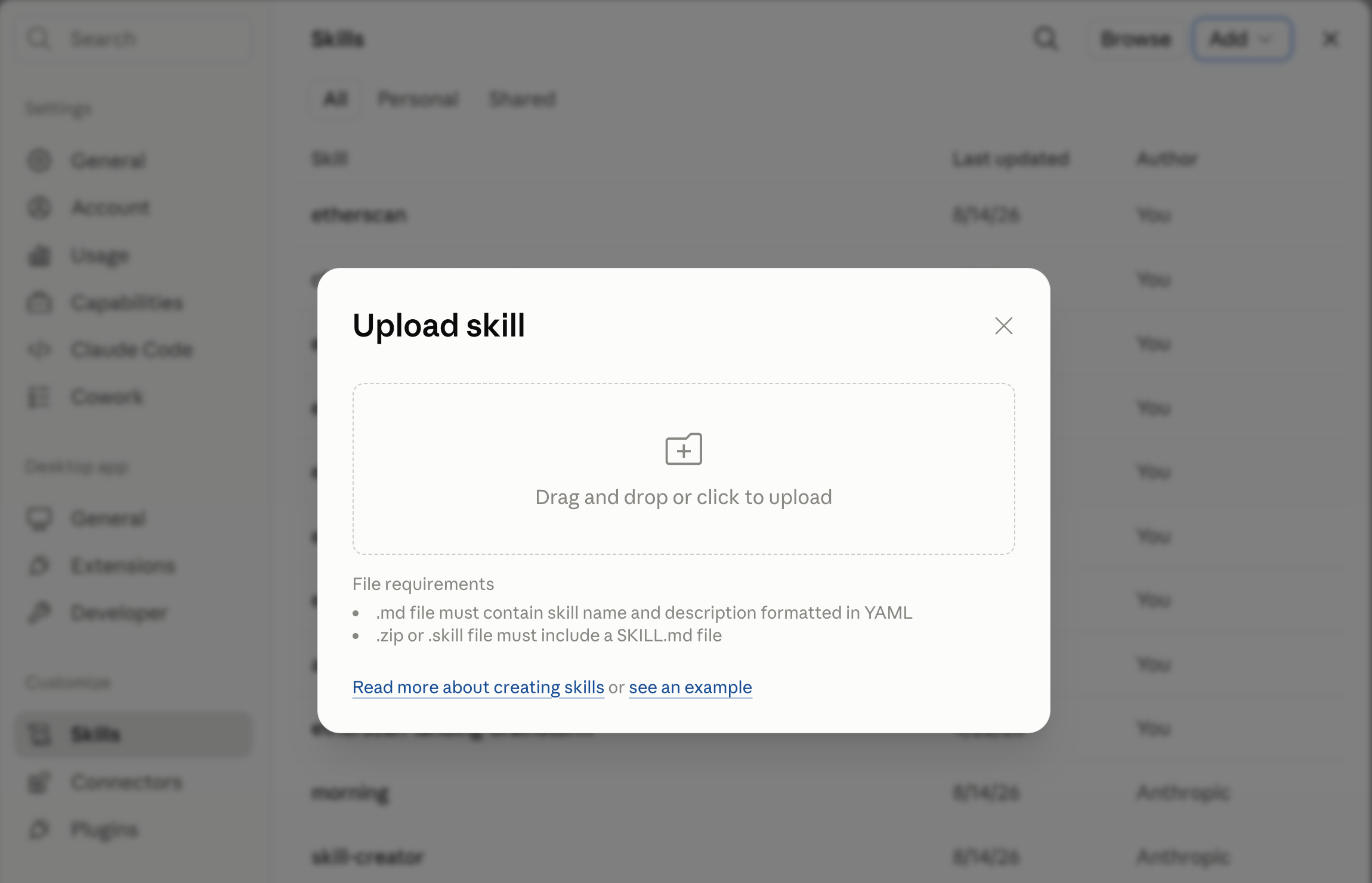 3. The Etherscan Contract Review skill is now ready to be used.
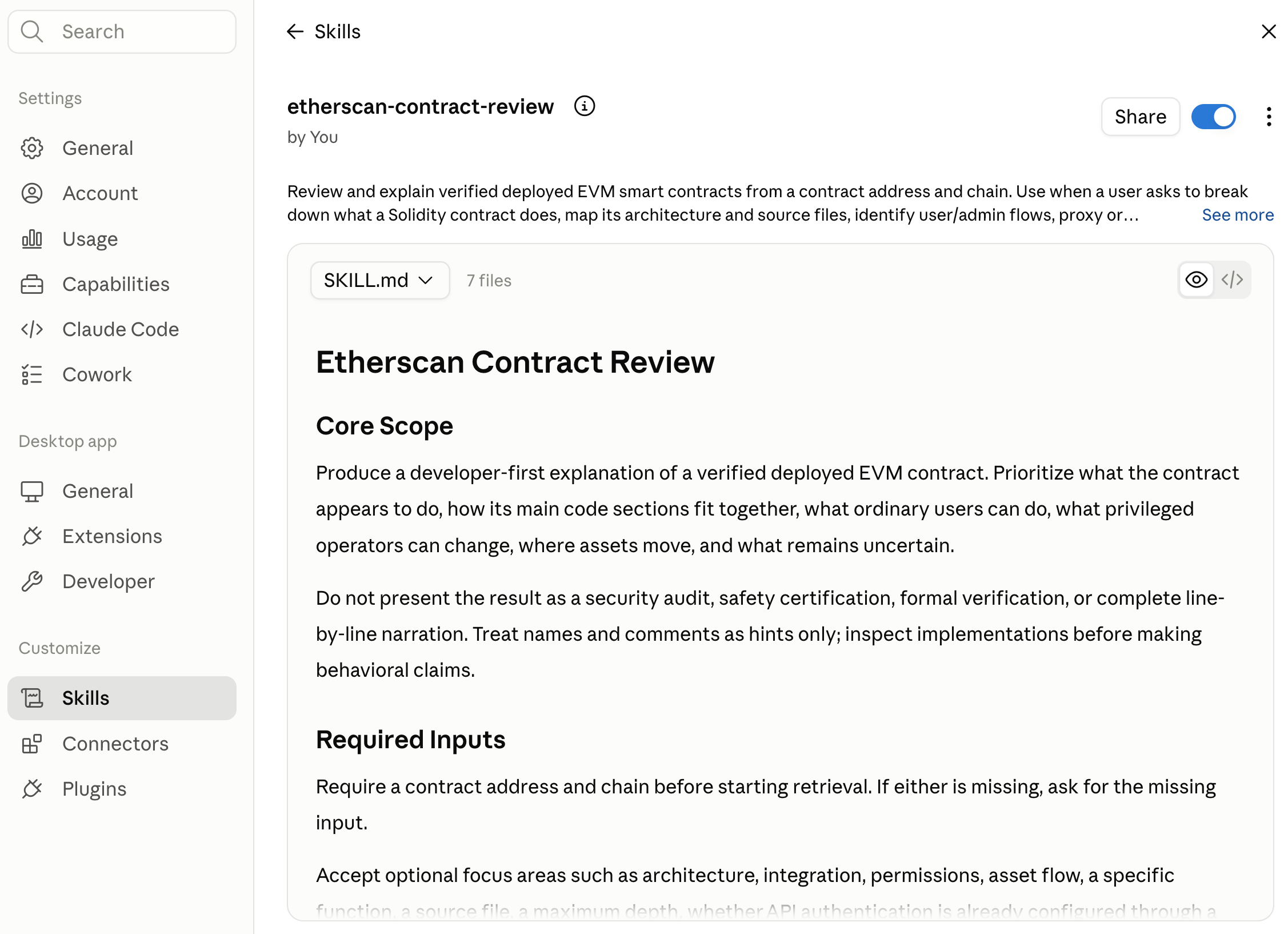 Give it a contract address and chain, then ask for a review.
```text theme={null}
review 0xdAC17F958D2ee523a2206206994597C13D831ec7 on Ethereum. use etherscan-contract-review skill
```
## More prompts to try
```text theme={null}
what are the privileged and admin controls on 0x on Ethereum, and who can call them?
```
```text theme={null}
map the architecture and source files of 0x on Arbitrum
```
```text theme={null}
where does 0x move native and token assets, and through which functions?
```
```text theme={null}
is 0x a proxy? resolve the implementation and explain what it does
```
## What it produces
By default, a structured review that runs from summary to detail:
* **Developer overview:** the contract's likely role, who uses it, which assets and permissions matter, and what privileged operators can change.
* **Contract identity:** chain, user-facing and implementation addresses, verification and compiler metadata, and when it was observed.
* **How it works:** separate user, admin and operator, and asset flows, plus external dependencies.
* **Code map:** source responsibilities grouped by entry points, accounting, asset movement, access control, upgradeability, integrations, and validation.
* **Important functions, events, and storage**, grouped by responsibility.
* **Evidence and uncertainty:** a source reference for each material claim, and a list of what could not be resolved.
Every material claim cites the implementation that enforces it, for example `contracts/Vault.sol:Vault.deposit`, not the function name alone. For a focused question, it answers directly with the minimum evidence instead of the full report.
## Good to know
* **Source references, not name-reading.** Names, comments, and ABI entries are treated as hints. The skill inspects the implementation before making a behavioral claim, then cites the file, contract, and function behind it.
* **Proxies stay separate.** If the address is a proxy, it resolves the implementation where metadata allows and keeps the storage address and implementation responsibilities distinct. When no pattern is confirmed, it preserves the ambiguity rather than guessing.
* **Unverified source is stated, not inferred.** If source is unverified or incomplete, it says so and limits the explanation to confirmed ABI, metadata, and bytecode observations.
* **API key.** It reads verified source through the Etherscan API, preferring the [CLI](/build-with-ai/cli) or a key from `ETHERSCAN_API_KEY`. It never asks for your key in chat.
The skill is read-only. It retrieves source, ABI, and metadata only. It never verifies, signs, or broadcasts, and it does not run retrieved contract code or scripts.
Give it a contract address and chain, then ask for a review.
```text theme={null}
review 0xdAC17F958D2ee523a2206206994597C13D831ec7 on Ethereum. use etherscan-contract-review skill
```
## More prompts to try
```text theme={null}
what are the privileged and admin controls on 0x on Ethereum, and who can call them?
```
```text theme={null}
map the architecture and source files of 0x on Arbitrum
```
```text theme={null}
where does 0x move native and token assets, and through which functions?
```
```text theme={null}
is 0x a proxy? resolve the implementation and explain what it does
```
## What it produces
By default, a structured review that runs from summary to detail:
* **Developer overview:** the contract's likely role, who uses it, which assets and permissions matter, and what privileged operators can change.
* **Contract identity:** chain, user-facing and implementation addresses, verification and compiler metadata, and when it was observed.
* **How it works:** separate user, admin and operator, and asset flows, plus external dependencies.
* **Code map:** source responsibilities grouped by entry points, accounting, asset movement, access control, upgradeability, integrations, and validation.
* **Important functions, events, and storage**, grouped by responsibility.
* **Evidence and uncertainty:** a source reference for each material claim, and a list of what could not be resolved.
Every material claim cites the implementation that enforces it, for example `contracts/Vault.sol:Vault.deposit`, not the function name alone. For a focused question, it answers directly with the minimum evidence instead of the full report.
## Good to know
* **Source references, not name-reading.** Names, comments, and ABI entries are treated as hints. The skill inspects the implementation before making a behavioral claim, then cites the file, contract, and function behind it.
* **Proxies stay separate.** If the address is a proxy, it resolves the implementation where metadata allows and keeps the storage address and implementation responsibilities distinct. When no pattern is confirmed, it preserves the ambiguity rather than guessing.
* **Unverified source is stated, not inferred.** If source is unverified or incomplete, it says so and limits the explanation to confirmed ABI, metadata, and bytecode observations.
* **API key.** It reads verified source through the Etherscan API, preferring the [CLI](/build-with-ai/cli) or a key from `ETHERSCAN_API_KEY`. It never asks for your key in chat.
The skill is read-only. It retrieves source, ABI, and metadata only. It never verifies, signs, or broadcasts, and it does not run retrieved contract code or scripts.