> ## Documentation Index
> Fetch the complete documentation index at: https://docs.etherscan.io/llms.txt
> Use this file to discover all available pages before exploring further.
# Etherscan Flow
> An installable agent skill that traces, verifies, and visualizes onchain money flows into an import-ready case file on [etherscan.io/flow](https://etherscan.io/flow).
[Etherscan Flow](https://github.com/etherscan/skills/tree/main/skills/etherscan-flow) is an agent skill that turns your agent into an onchain investigator for tracing, verifying, and visualizing onchain money flows. Give it a transaction hash, an address, a resolvable entity, a draft case, or a source URL, and it queries live Etherscan API data and returns a single import-ready Flow Case file of nodes and edges. Every address, amount, and transaction hash is grounded in a real API response.
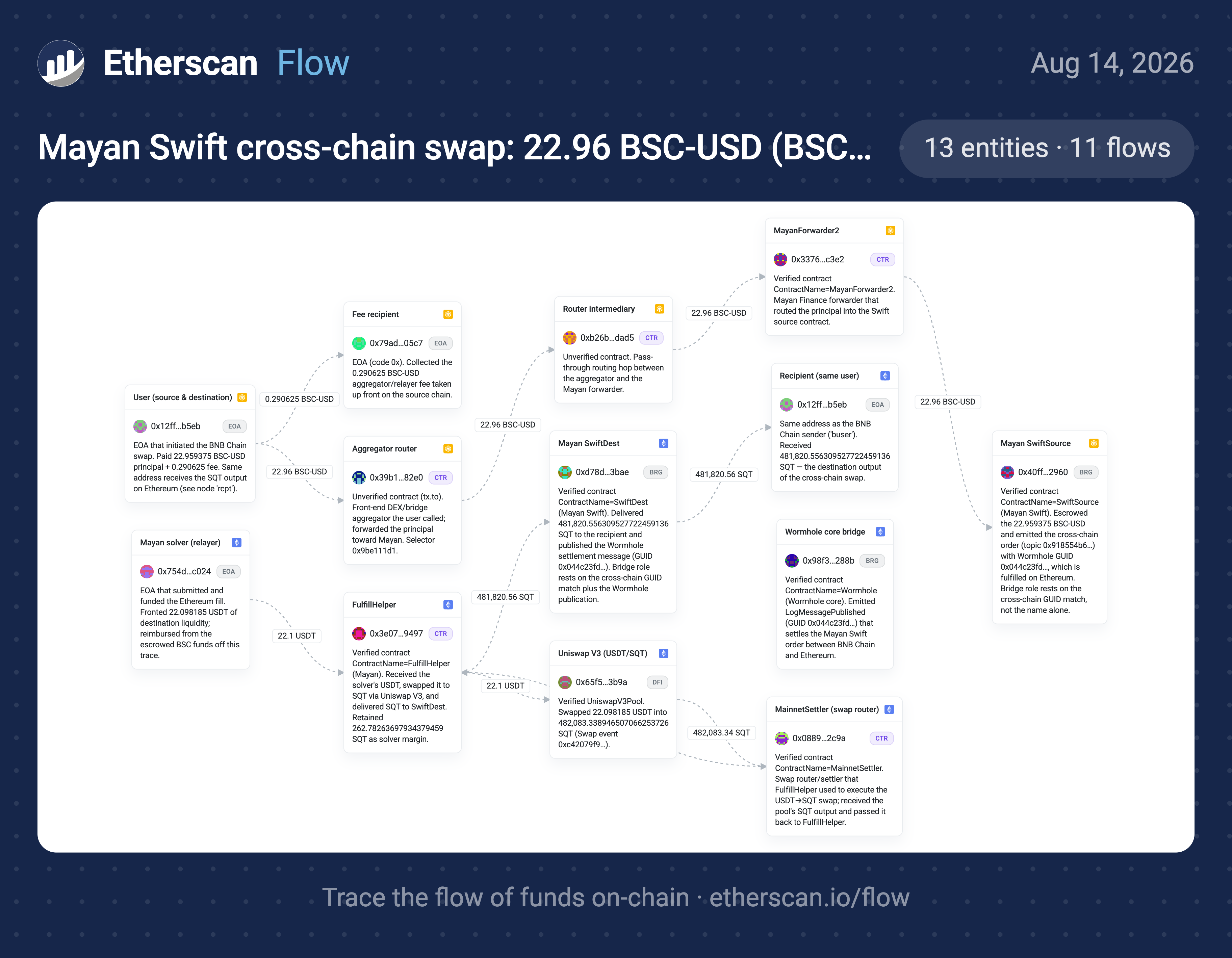 It runs in two modes, plus a document-import path:
* **Strict trace:** start from a transaction hash or address and follow the money.
* **Business/entity profile:** start from a DAO, protocol, or business, resolve it to verified addresses, then summarize income, spending, and totals.
* **Document import:** paste a draft case, notes, or a link you typed, and it verifies every address and claim against the live API.
Where the general [Etherscan Orchestrator](/build-with-ai/skills/etherscan) routes a task to the right Etherscan interface, Etherscan Flow owns a full multi-step investigation workflow on top of the API.
## Get started
Add the skill with the [skills.sh](https://skills.sh) CLI. `-g` installs it globally (user-level, so it is available in every project) and `-a '*'` installs it for every agent you have set up (Claude Code, Codex, and others):
```bash theme={null}
npx skills add https://github.com/etherscan/skills --skill etherscan-flow -g -a '*' -y
```
Or clone the repo and move the folder into your agent's skills directory, `~/.claude/skills/` or `~/.codex/skills/`:
```bash theme={null}
git clone https://github.com/etherscan/skills.git etherscan-skills
cp -r etherscan-skills/skills/etherscan-flow ~/.claude/skills/
```
Claude Desktop installs a skill from a ZIP you upload. Zip must contain exactly one SKILL.md file.
1. Download the [Etherscan skills repo](https://github.com/etherscan/skills/archive/refs/heads/main.zip), unzip it, and compress just the `skills-main/skills/etherscan-flow` folder into `etherscan-flow.zip`.
```
skills-main/
└── skills/
├── etherscan/
├── etherscan-flow/ ← zip this folder
└── etherscan-transaction-debugger/
```
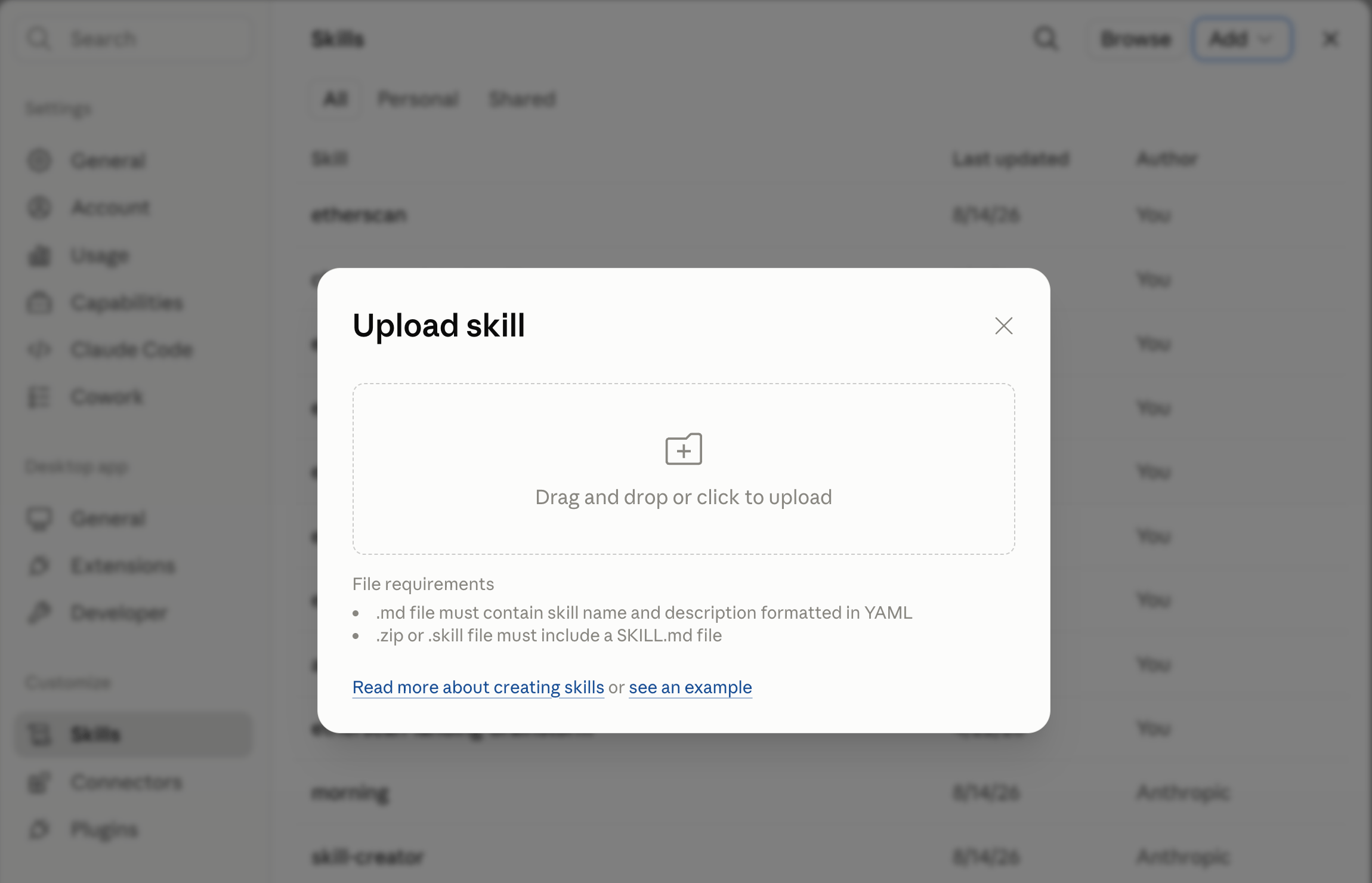
2. In Claude Desktop, go to **Settings > Skills > Add > Upload a skill** and select the `etherscan-flow.zip` file.
It runs in two modes, plus a document-import path:
* **Strict trace:** start from a transaction hash or address and follow the money.
* **Business/entity profile:** start from a DAO, protocol, or business, resolve it to verified addresses, then summarize income, spending, and totals.
* **Document import:** paste a draft case, notes, or a link you typed, and it verifies every address and claim against the live API.
Where the general [Etherscan Orchestrator](/build-with-ai/skills/etherscan) routes a task to the right Etherscan interface, Etherscan Flow owns a full multi-step investigation workflow on top of the API.
## Get started
Add the skill with the [skills.sh](https://skills.sh) CLI. `-g` installs it globally (user-level, so it is available in every project) and `-a '*'` installs it for every agent you have set up (Claude Code, Codex, and others):
```bash theme={null}
npx skills add https://github.com/etherscan/skills --skill etherscan-flow -g -a '*' -y
```
Or clone the repo and move the folder into your agent's skills directory, `~/.claude/skills/` or `~/.codex/skills/`:
```bash theme={null}
git clone https://github.com/etherscan/skills.git etherscan-skills
cp -r etherscan-skills/skills/etherscan-flow ~/.claude/skills/
```
Claude Desktop installs a skill from a ZIP you upload. Zip must contain exactly one SKILL.md file.
1. Download the [Etherscan skills repo](https://github.com/etherscan/skills/archive/refs/heads/main.zip), unzip it, and compress just the `skills-main/skills/etherscan-flow` folder into `etherscan-flow.zip`.
```
skills-main/
└── skills/
├── etherscan/
├── etherscan-flow/ ← zip this folder
└── etherscan-transaction-debugger/
```
2. In Claude Desktop, go to **Settings > Skills > Add > Upload a skill** and select the `etherscan-flow.zip` file.
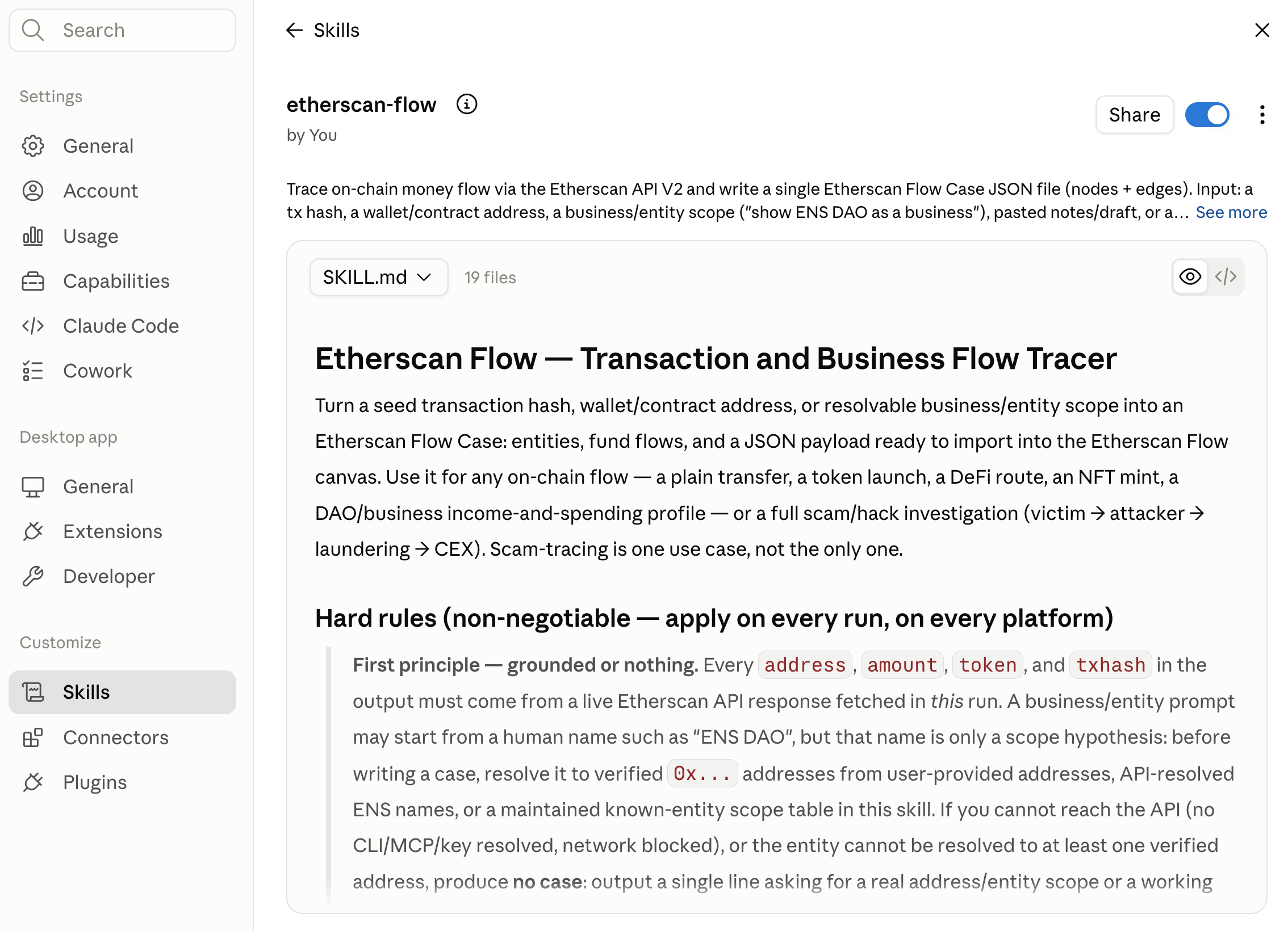
 3. The Etherscan Flow skill is now ready to be used.
 Describe the case in plain language.
```text theme={null}
trace this scam 0x. use etherscan-flow skill
```
The agent pulls live transactions, follows the money hop by hop, and returns an import-ready Flow Case.
## Provide an API key
Etherscan Flow calls the Etherscan API, which needs an [API key](/set-up-your-api-key). The skill resolves one in this order, first usable match wins:
1. The Etherscan [CLI](/build-with-ai/cli) config
2. The Etherscan [MCP](/build-with-ai/mcp) connection
3. An inline `apikey=` in your request
4. The `ETHERSCAN_API_KEY` environment variable
5. A local key file
Resolving through the CLI or MCP keeps the key out of the chat transcript.
## Example Usage
Paste a hash or address and ask to investigate:
```text theme={null}
trace this scam 0x
follow the money from this victim wallet 0x
this is the scammer address 0x, find the victims
build a case for this hack 0x apikey=YOUR_KEY
```
Or profile a DAO, protocol, or business from a verified scope:
```text theme={null}
show ENS DAO as a business
show ENS DAO as a business using these treasury, controller, and timelock addresses: 0x 0x
map income and spending for this protocol treasury 0x
show where this DAO gets income and how it spends money, with totals, apikey=YOUR_KEY 0x
```
Or import a draft, notes, or any link and have every claim verified onchain:
```text theme={null}
extract the flows from this gist and build the case: https://gist.github.com// apikey=YOUR_KEY
someone reported this scam on X — verify it and build the case: https://x.com//status/
build a case from the addresses in this article: https:///
here's my draft case JSON — validate it and produce a verified version:
```
## Run without approving every call
A single trace can make many API calls (up to 100), so your agent may prompt you to approve each one. That prompt comes from your agent's own permission system, not from Etherscan Flow.
You can safely approve them all at once: every call is a read-only `GET` to a single host, `api.etherscan.io`, so nothing is written or spent. To set that up in Claude Code, Codex, or Claude.ai, see [Stop it asking permission for every call](https://github.com/etherscan/skills/blob/main/skills/etherscan-flow/README.md#stop-it-asking-permission-for-every-call).
## Output
You get a single Flow Case JSON file. Open [etherscan.io/flow](https://etherscan.io/flow), choose Import, and paste it: the schema maps one to one, with no reformatting.
Roles, labels, and notes in a case are an agent's inference over public Etherscan data, not Etherscan verdicts, accusations, or legal findings.
Describe the case in plain language.
```text theme={null}
trace this scam 0x. use etherscan-flow skill
```
The agent pulls live transactions, follows the money hop by hop, and returns an import-ready Flow Case.
## Provide an API key
Etherscan Flow calls the Etherscan API, which needs an [API key](/set-up-your-api-key). The skill resolves one in this order, first usable match wins:
1. The Etherscan [CLI](/build-with-ai/cli) config
2. The Etherscan [MCP](/build-with-ai/mcp) connection
3. An inline `apikey=` in your request
4. The `ETHERSCAN_API_KEY` environment variable
5. A local key file
Resolving through the CLI or MCP keeps the key out of the chat transcript.
## Example Usage
Paste a hash or address and ask to investigate:
```text theme={null}
trace this scam 0x
follow the money from this victim wallet 0x
this is the scammer address 0x, find the victims
build a case for this hack 0x apikey=YOUR_KEY
```
Or profile a DAO, protocol, or business from a verified scope:
```text theme={null}
show ENS DAO as a business
show ENS DAO as a business using these treasury, controller, and timelock addresses: 0x 0x
map income and spending for this protocol treasury 0x
show where this DAO gets income and how it spends money, with totals, apikey=YOUR_KEY 0x
```
Or import a draft, notes, or any link and have every claim verified onchain:
```text theme={null}
extract the flows from this gist and build the case: https://gist.github.com// apikey=YOUR_KEY
someone reported this scam on X — verify it and build the case: https://x.com//status/
build a case from the addresses in this article: https:///
here's my draft case JSON — validate it and produce a verified version:
```
## Run without approving every call
A single trace can make many API calls (up to 100), so your agent may prompt you to approve each one. That prompt comes from your agent's own permission system, not from Etherscan Flow.
You can safely approve them all at once: every call is a read-only `GET` to a single host, `api.etherscan.io`, so nothing is written or spent. To set that up in Claude Code, Codex, or Claude.ai, see [Stop it asking permission for every call](https://github.com/etherscan/skills/blob/main/skills/etherscan-flow/README.md#stop-it-asking-permission-for-every-call).
## Output
You get a single Flow Case JSON file. Open [etherscan.io/flow](https://etherscan.io/flow), choose Import, and paste it: the schema maps one to one, with no reformatting.
Roles, labels, and notes in a case are an agent's inference over public Etherscan data, not Etherscan verdicts, accusations, or legal findings.