> ## Documentation Index
> Fetch the complete documentation index at: https://docs.etherscan.io/llms.txt
> Use this file to discover all available pages before exploring further.
# Etherscan Transaction Debugger
> An installable agent skill that explains what a transaction did, and why, from live Etherscan data with verifiable evidence links.
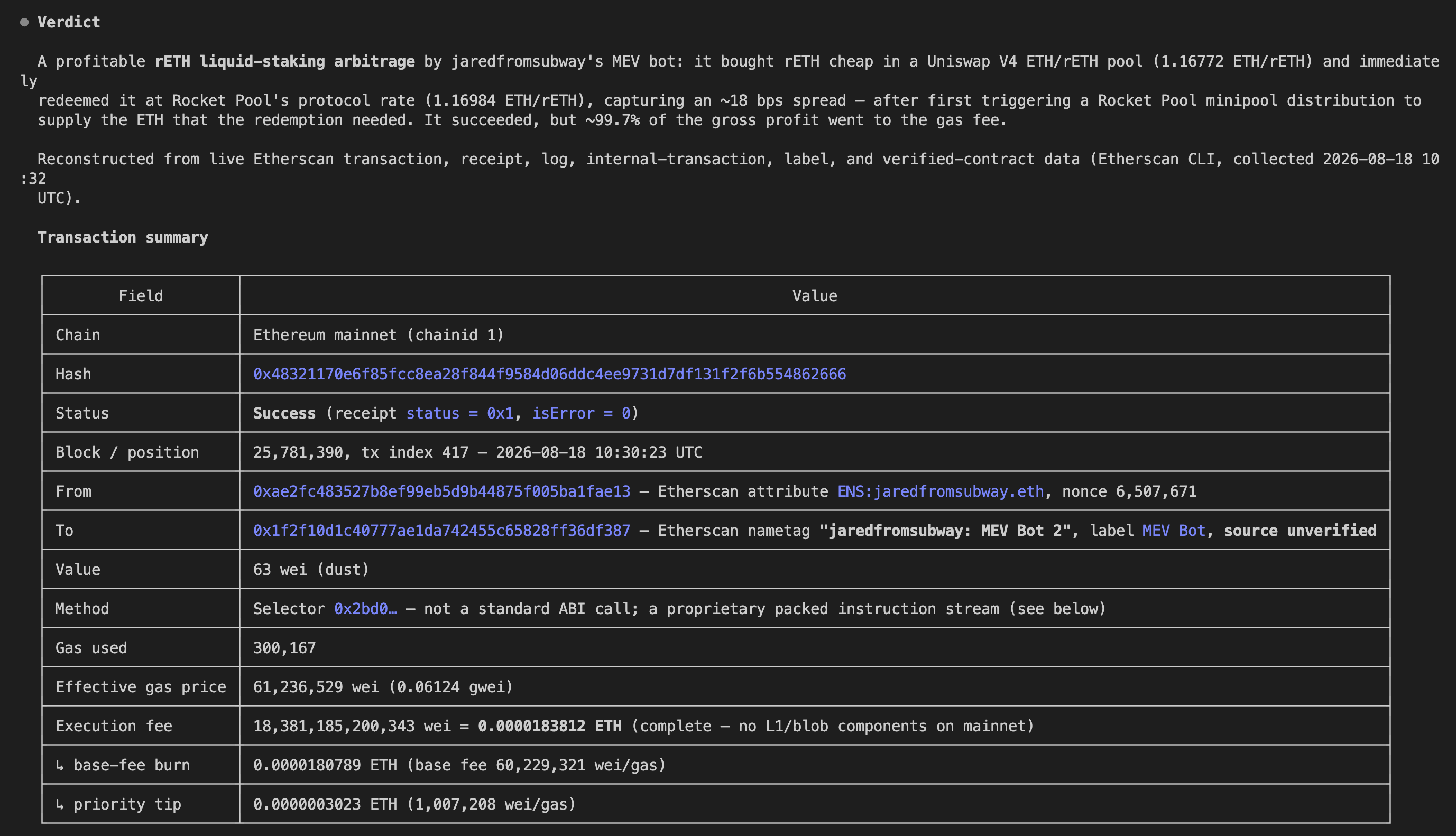
The [Etherscan Transaction Debugger](https://github.com/etherscan/skills/tree/main/skills/etherscan-transaction-debugger) is an agent skill that explains what a transaction actually did. Give it a transaction hash and it reconstructs the supported execution path from live Etherscan data, decodes the calls and events, reconciles the asset and permission changes, and pins down any failure, with direct Etherscan links so you can verify every claim yourself.
It works on one transaction, or two for a side-by-side comparison. For following funds across many hops or profiling an address, it hands off to [Etherscan Flow](/build-with-ai/skills/etherscan-flow). For a full contract audit, it is out of scope.
 ## Get started
Add the skill with the [skills.sh](https://skills.sh) CLI. `-g` installs it globally (user-level, so it is available in every project) and `-a '*'` installs it for every agent you have set up (Claude Code, Codex, and others):
```bash theme={null}
npx skills add https://github.com/etherscan/skills --skill etherscan-transaction-debugger -g -a '*' -y
```
Or clone the repo and move the folder into your agent's skills directory, `~/.claude/skills/` or `~/.codex/skills/`:
```bash theme={null}
git clone https://github.com/etherscan/skills.git etherscan-skills
cp -r etherscan-skills/skills/etherscan-transaction-debugger ~/.claude/skills/
```
Claude Desktop installs a skill from a ZIP you upload. Zip must contain exactly one SKILL.md file.
1. Download the [Etherscan skills repo](https://github.com/etherscan/skills/archive/refs/heads/main.zip), unzip it, and compress just the `skills-main/skills/etherscan-transaction-debugger` folder into `etherscan-transaction-debugger.zip`.
```
skills-main/
└── skills/
├── etherscan/
├── etherscan-contract-review/
├── etherscan-flow/
└── etherscan-transaction-debugger/ ← zip this folder
```
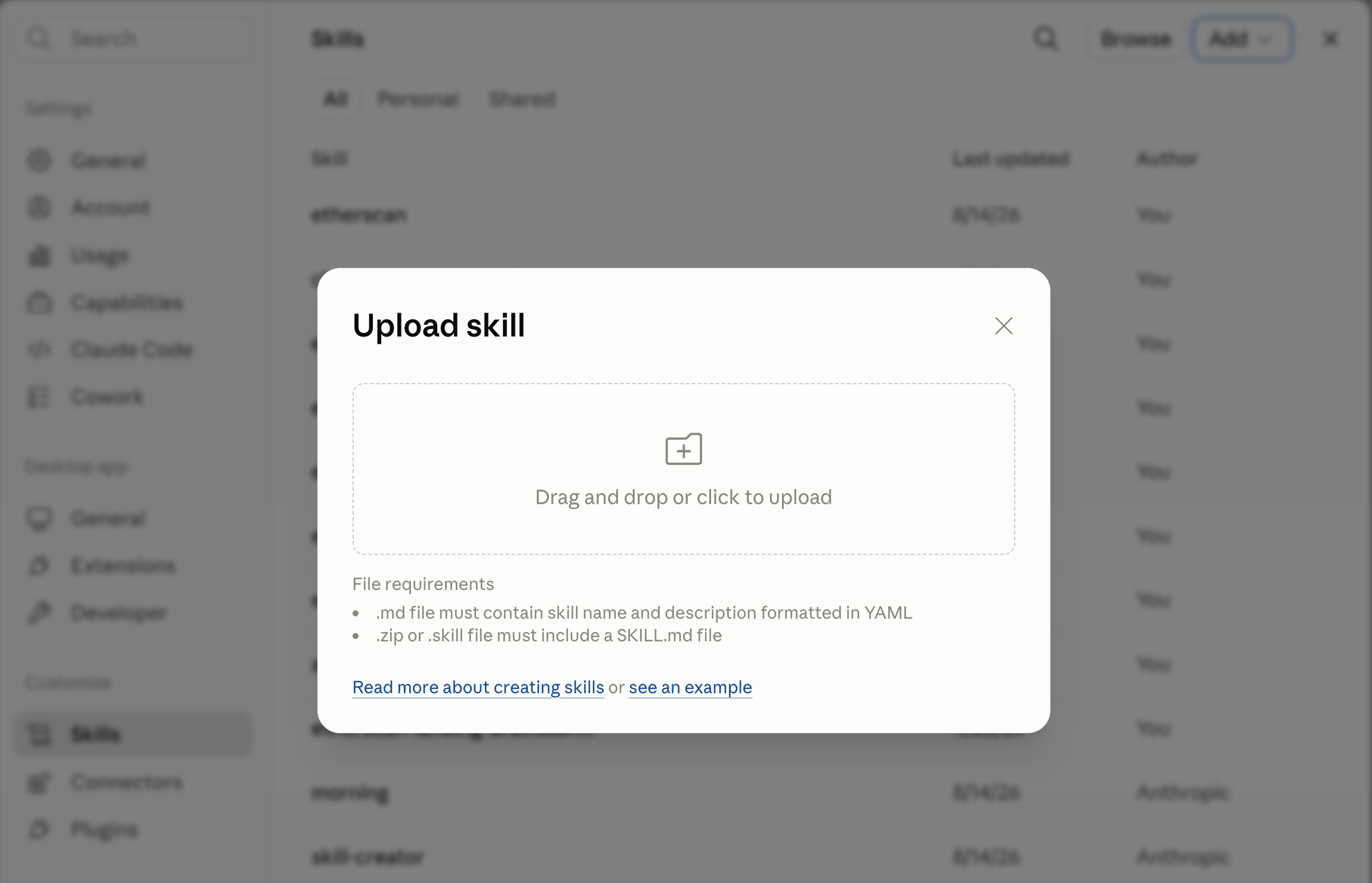
2. In Claude Desktop, go to **Settings > Skills > Add > Upload a skill** and select the `etherscan-transaction-debugger.zip` file.
## Get started
Add the skill with the [skills.sh](https://skills.sh) CLI. `-g` installs it globally (user-level, so it is available in every project) and `-a '*'` installs it for every agent you have set up (Claude Code, Codex, and others):
```bash theme={null}
npx skills add https://github.com/etherscan/skills --skill etherscan-transaction-debugger -g -a '*' -y
```
Or clone the repo and move the folder into your agent's skills directory, `~/.claude/skills/` or `~/.codex/skills/`:
```bash theme={null}
git clone https://github.com/etherscan/skills.git etherscan-skills
cp -r etherscan-skills/skills/etherscan-transaction-debugger ~/.claude/skills/
```
Claude Desktop installs a skill from a ZIP you upload. Zip must contain exactly one SKILL.md file.
1. Download the [Etherscan skills repo](https://github.com/etherscan/skills/archive/refs/heads/main.zip), unzip it, and compress just the `skills-main/skills/etherscan-transaction-debugger` folder into `etherscan-transaction-debugger.zip`.
```
skills-main/
└── skills/
├── etherscan/
├── etherscan-contract-review/
├── etherscan-flow/
└── etherscan-transaction-debugger/ ← zip this folder
```
2. In Claude Desktop, go to **Settings > Skills > Add > Upload a skill** and select the `etherscan-transaction-debugger.zip` file.
 3. The Etherscan Transaction Debugger skill is now ready to be used.
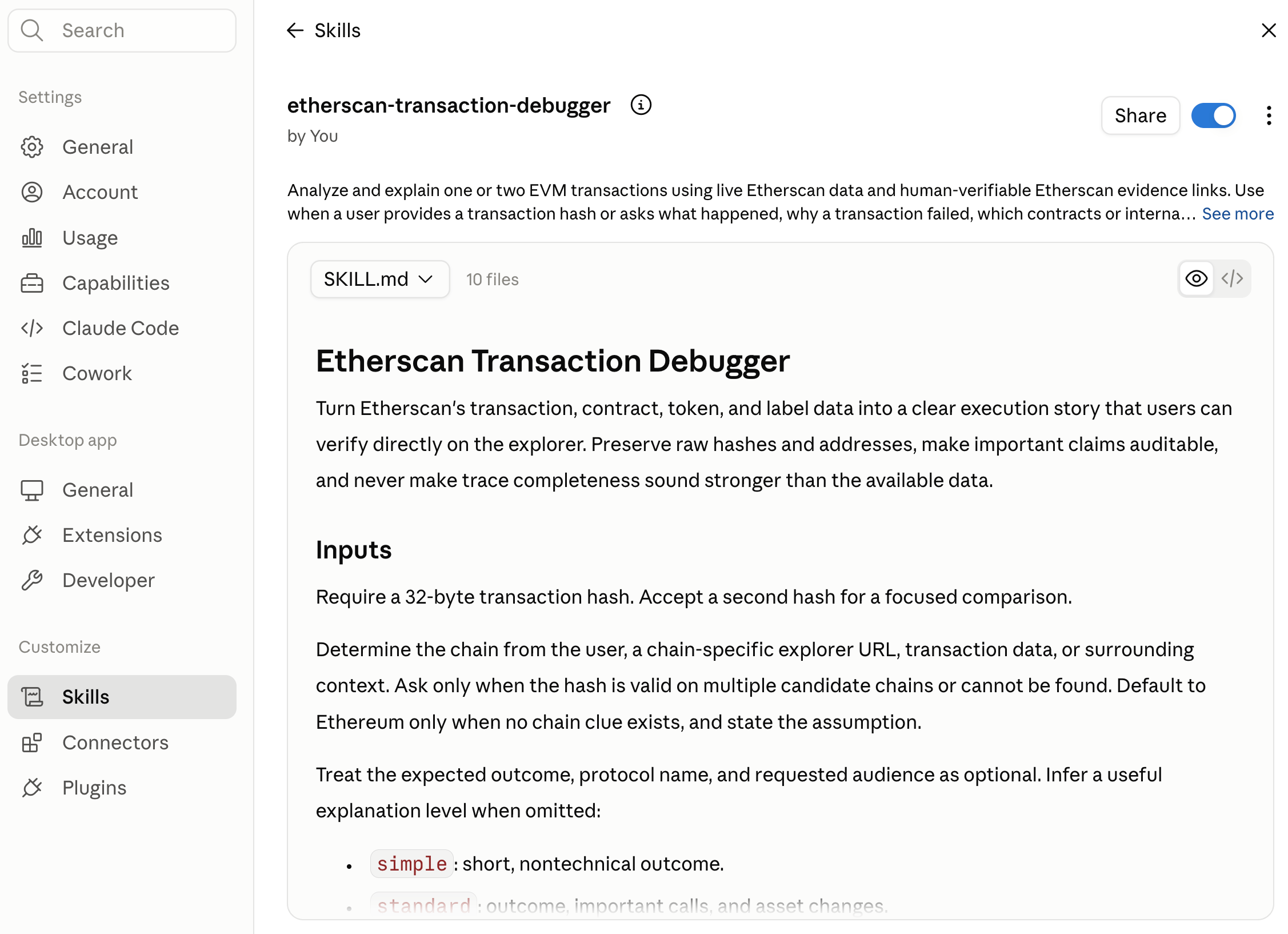 Paste a transaction hash and ask what happened.
```text theme={null}
explain what happened in transaction 0x. use etherscan-transaction-debugger skill
```
## More prompts to try
```text theme={null}
why did transaction 0x fail?
```
```text theme={null}
which contracts and internal calls were involved in 0x, and where did the assets move?
```
```text theme={null}
was a proxy implementation executed in 0x, and which call reverted?
```
```text theme={null}
compare 0x and 0x and tell me why they behaved differently
```
## Choose the depth of explanation
Name the audience and the skill sets the level of detail. If you do not, it infers a useful one.
| Level | What you get |
| --------- | --------------------------------------------------------------------------------- |
| Simple | A short, non-technical summary of the outcome |
| Standard | Outcome, the important calls, and asset changes |
| Developer | Decoded calldata, call semantics, the proxy path, and failure evidence |
| Support | A customer-ready explanation plus escalation notes |
| Security | Permissions, callbacks, delegate calls, recipients, and evidence-backed anomalies |
## What it produces
A report led by a one or two sentence verdict, then only the sections that fit the request: a transaction summary (status, decoded method, value, gas, fees), what happened, the execution flow, the asset and permission changes, a failure analysis when the transaction reverted, evidence-backed security observations, an **Explore on Etherscan** block of direct links, and a closing note on confidence and what could not be determined.
Every claim is tagged by how it is known: **observed** in the transaction data, **derived** by calculation from it, or **inferred** from patterns. Confidence is rated `High`, `Medium`, or `Low` against the evidence.
## Good to know
* **Standard and Deep modes.** Standard mode uses Etherscan's transaction, receipt, internal-transaction, ABI, source, proxy, label, and token data, and answers most cases. Deep mode needs a full execution trace and is used for complete internal calls, `DELEGATECALL` behavior, or the exact reverting frame. Without a trace, the call tree is partial and the skill says so rather than guessing the reverting frame.
* **It does not invent.** Function names, amounts, revert reasons, proxy relationships, and trace edges come from real data, or are shown as a selector, raw value, or `unknown`. Etherscan internal transactions are never presented as a complete call trace.
The skill is read-only. It does not generate exploit code, sign or broadcast transactions, or call a contract malicious from unusual behavior alone; it surfaces evidence-backed risk indicators and states the uncertainty.
Paste a transaction hash and ask what happened.
```text theme={null}
explain what happened in transaction 0x. use etherscan-transaction-debugger skill
```
## More prompts to try
```text theme={null}
why did transaction 0x fail?
```
```text theme={null}
which contracts and internal calls were involved in 0x, and where did the assets move?
```
```text theme={null}
was a proxy implementation executed in 0x, and which call reverted?
```
```text theme={null}
compare 0x and 0x and tell me why they behaved differently
```
## Choose the depth of explanation
Name the audience and the skill sets the level of detail. If you do not, it infers a useful one.
| Level | What you get |
| --------- | --------------------------------------------------------------------------------- |
| Simple | A short, non-technical summary of the outcome |
| Standard | Outcome, the important calls, and asset changes |
| Developer | Decoded calldata, call semantics, the proxy path, and failure evidence |
| Support | A customer-ready explanation plus escalation notes |
| Security | Permissions, callbacks, delegate calls, recipients, and evidence-backed anomalies |
## What it produces
A report led by a one or two sentence verdict, then only the sections that fit the request: a transaction summary (status, decoded method, value, gas, fees), what happened, the execution flow, the asset and permission changes, a failure analysis when the transaction reverted, evidence-backed security observations, an **Explore on Etherscan** block of direct links, and a closing note on confidence and what could not be determined.
Every claim is tagged by how it is known: **observed** in the transaction data, **derived** by calculation from it, or **inferred** from patterns. Confidence is rated `High`, `Medium`, or `Low` against the evidence.
## Good to know
* **Standard and Deep modes.** Standard mode uses Etherscan's transaction, receipt, internal-transaction, ABI, source, proxy, label, and token data, and answers most cases. Deep mode needs a full execution trace and is used for complete internal calls, `DELEGATECALL` behavior, or the exact reverting frame. Without a trace, the call tree is partial and the skill says so rather than guessing the reverting frame.
* **It does not invent.** Function names, amounts, revert reasons, proxy relationships, and trace edges come from real data, or are shown as a selector, raw value, or `unknown`. Etherscan internal transactions are never presented as a complete call trace.
The skill is read-only. It does not generate exploit code, sign or broadcast transactions, or call a contract malicious from unusual behavior alone; it surfaces evidence-backed risk indicators and states the uncertainty.